
When you animate a shot with as many moving parts as this shot from “Beyond the Face” (by Anja Resman, from 2024):
Or this one from “Včasih sem Papirnati Zmaj” (by Leon Vidmar, still in production):
…you have 2 choices: you can sweat a lot, checking your video assist on Dragonframe back and forth for every single animated part, with the risk that you wouldn’t see and forget to move one or more of these parts, or you can build yourselves a system to save time and ensure that everything is animated at every frame. I’ll share with you what my systems were for these 2 shots and I hope it’ll help you find your own bespoke tool for the unique shots you will have to do yourself.
For the shot on “Beyond the Face”, those multiple walk cycles in all directions and all stages of the walk cycle, I created one little note-paper for each character, then on the paper for character #1, I gave a name to each of my walk-cycle poses and I assigned the logical frame number on which each of these poses will fall (those of you who have participated to my animation courses recognise this trick – which is a trick I’ll detail another day here on this blog), then I placed that note in line to where that character #1 is in space, just off-camera, on the edge of the physical set, as so:
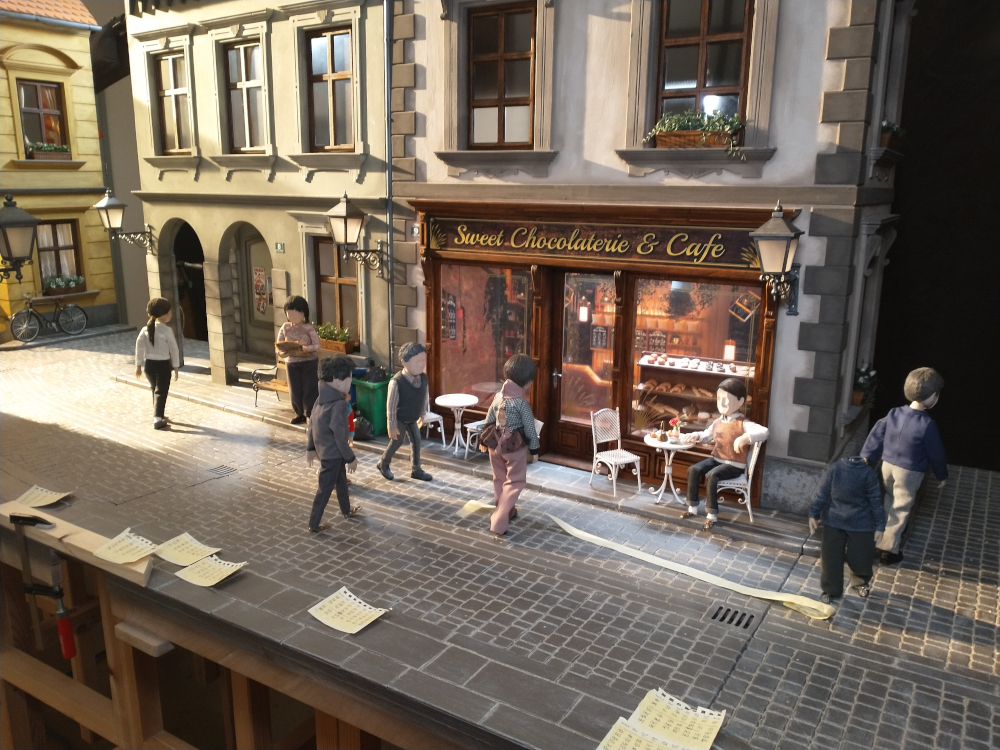
You can see that the edge of my set holds the notes and they are placed off to the side but somewhat accurately if you take a bird’s eye view of the scene. Of course I made the notes progress along the set as the characters themselves progressed in space. You can also see a piece of paper strip that was taped at one end and not at the other. This strip had markings on and they helped me keep track of where the 2 central characters, going towards camera, should be in space at this or that frame. I rolled the strip out of camera view when I grabbed the frame and I rolled it back on the ground when working on the characters. The taped end of the strip was stuck to a place on the set which was never going to be in shot, that’s why the strip was so long and needed to be rolled in and out.
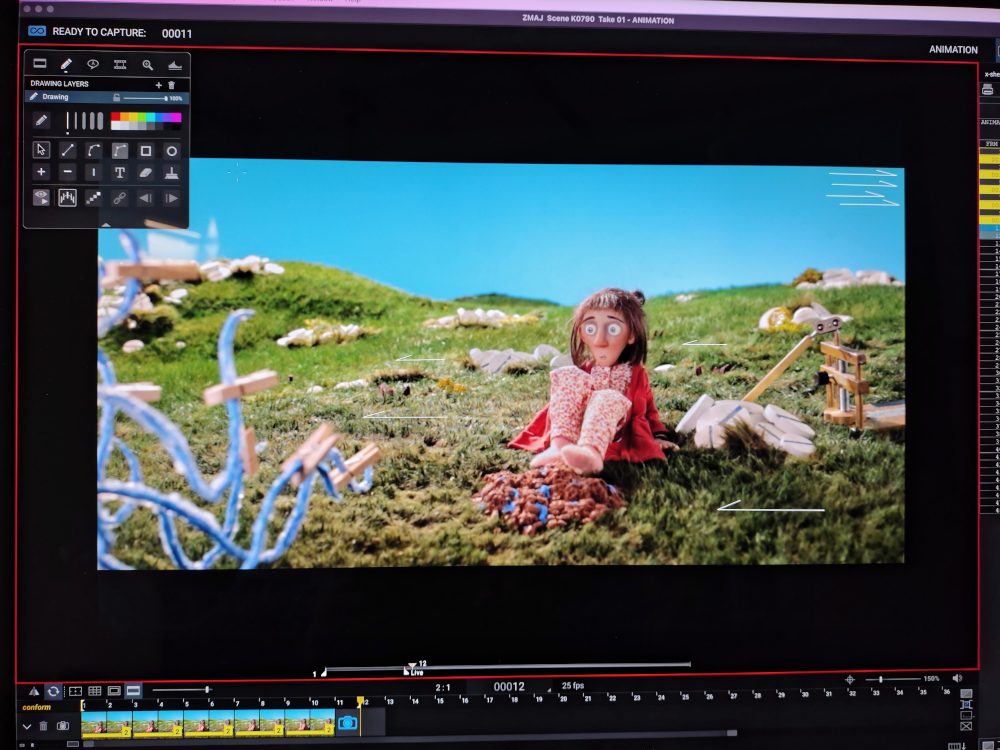
On the other shot with the blue creature from “Včasih sem Papirnati Zmaj”, I had 2 main things that were out of the ordinary and that I needed to keep track of: the grass that the wind swept (and in real life, I used a paintbrush to caress the grass) and the tentacles of the creature. For the grass, I used the marker tool in Dragonframe to draw arrows on the screen and I placed either an arrow pointing left or one pointing right, depending on the direction the wind was blowing on that spot of the grass. I drew a few arrows and I just “stored” the unused ones (here in the top-right corner on my screen) ready to be used when the direction changes or another spot of grass is being swept:
For the tentacles of the creature, I didn’t know what to use and I thought I’d make some kind of markings on the screen. I wasn’t too crazy about this solution as it seemed to me that it’d be cumbersome and still very open to missing some tentacle or other. I kept thinking as I was preparing the other stuff in the scene, then I noticed in the studio these mini, almost toy pegs. I instantly knew I found my system. The pegs went out one by one, as I progressed along the animation of each tentacle and when I didn’t have any on the creature any more, I gave one last check at the video assist, back and forth, and I took the frame. Then I put all the pegs back on and I started animating the character, then the grass, then the creature, peg after peg, tentacle after tentacle.
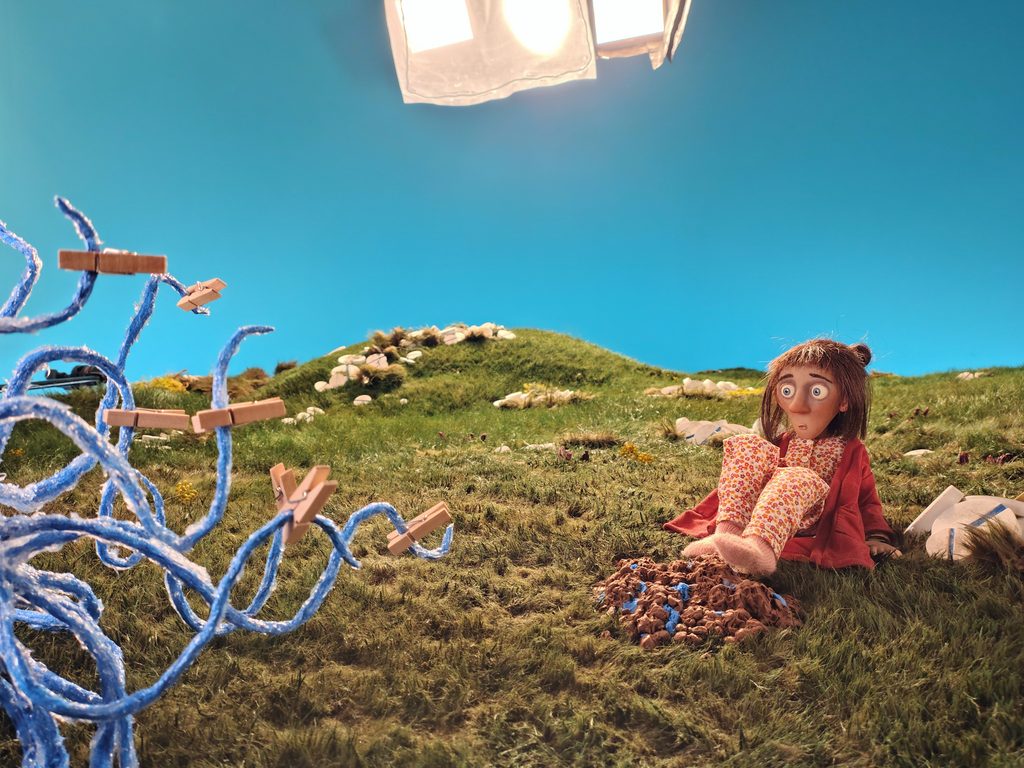
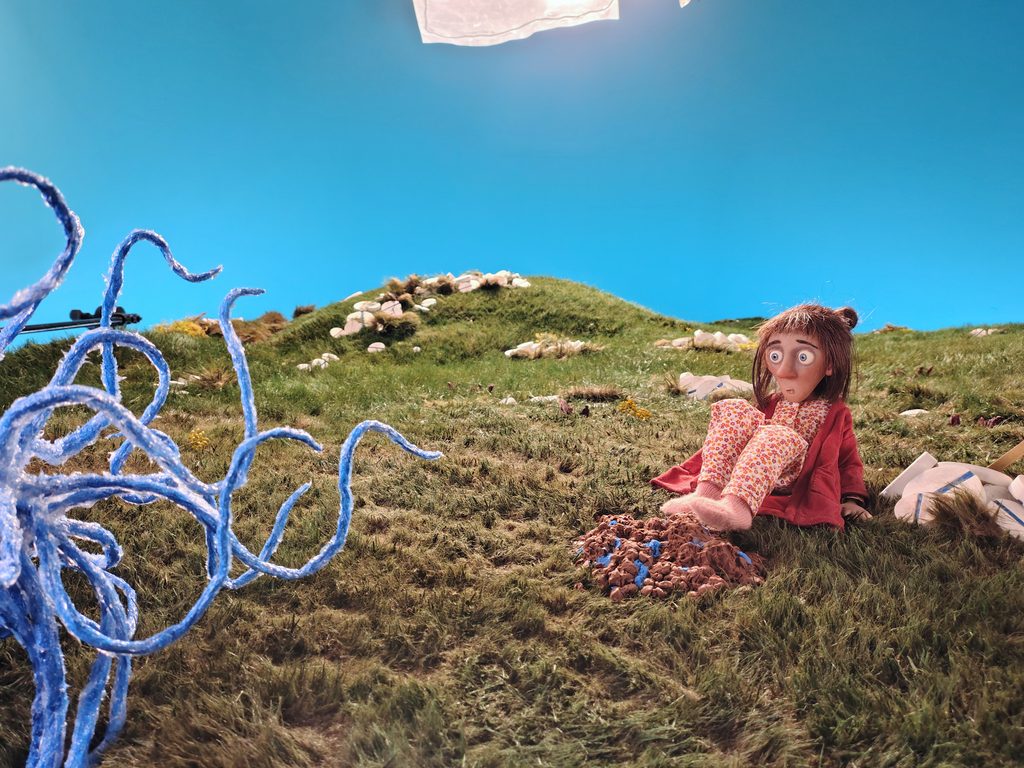
I really hope this is opening up a lot of ideas to make your life easier on set and avoid mistakes when you have tricky actions like these to keep track of.
Until next time for more tricks from my time on the film “Včasih sem Papirnati Zmaj”!